


The TrueBadge Designer™
Design custom metal badges live in your browser. Build custom seals, group orders by rank, see volume pricing update in real time, and check out in one session. No dealer. No setup fees. No die charges.
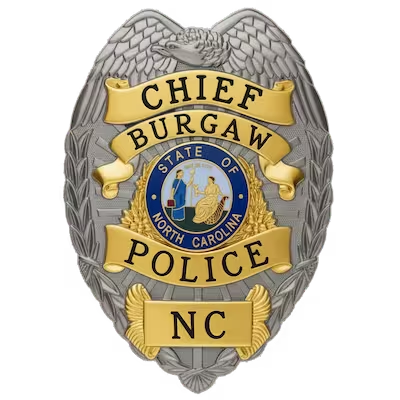
What is TrueBadge Designer?
TrueBadge Designer is the online custom badge designer tool from Owl Badges, a U.S. metal badge manufacturer that has produced badges for over 5,000 agencies since 1999. The tool lets law enforcement officers, police departments, sheriff’s offices, federal agents, corrections officers, fire departments, EMS agencies, security companies, school district police, and public safety personnel design, customize, and order metal badges online in a single browser session — including custom center seals, sequential badge numbering, multi-rank department orders, and direct payment by credit card, ACH, or department purchase order.
Unlike most badge ordering processes that require a dealer, a separate quote step, or a back-and-forth email proof workflow before a buyer can place an order, TrueBadge Designer handles the entire workflow in-browser. A single officer can design and order a personal duty badge, a quartermaster can outfit an entire department with sequential numbers and grouped quantity pricing, and a federal agency procurement officer can submit a department purchase order — all through the same tool.
The tool is designed for buyers without prior badge design experience. The seven-step workflow is scaffolded with stock libraries, real-time preview, and live chat support from the Owl Badges in-house design team available during the design session.
What can you design?
Four categories of customization are exposed in the tool, each with stock options and full custom paths.
10,000+ stock badge shapes
The shape library covers shields, stars (5-point and 6-point), eagle-tops, ovals, custom department shapes, sheriff stars, federal agency profiles, and traditional patrol shapes. Standard sizes available from miniature lapel pins through full-size duty badges. Every shape in the library is pre-validated for production.
Multiple metal finishes and enamel colors
Choose gold, silver, antique gold, antique silver, or dual-tone metal finishes. Add hard or soft enamel color in any combination — blues, reds, greens, blacks, whites, and custom matches — for panels, accents, and the center seal. Live preview renders the color combination as you select.
8 typefaces, 20 font colors
Add department name, rank, badge number, division, motto, or memorial inscriptions. Eight typefaces specifically curated for badge engraving and metal stamping. Twenty font color options sized for legibility. Real-time preview of every text change.
Custom center seals and duty hardware
Pick a stock seal from the library, upload your own city seal or department logo, or build a fully custom seal in the integrated Seal Designer. Add pin clutch, safety pin, deluxe clutch, or pocket badge wallet attachment.
The integrated Seal Designer
The center seal is the most distinctive element of a custom badge. TrueBadge Designer includes an integrated Seal Designer that handles three paths to a finished seal, each completed in-session.
Use a stock seal from the library
The stock seal library covers all 50 U.S. state seals, major federal law enforcement agency seals (FBI, DEA, ATF, U.S. Marshals, Secret Service, ICE, CBP, and others), state police and highway patrol seals, and municipal police department seals for major U.S. cities. Every seal in the library is pre-validated for badge production at standard sizes and finishes.
Upload your own seal or logo
Upload a city seal, department logo, agency emblem, organizational artwork, or original design directly inside the designer at the seal step. The Owl Badges live chat team is available during the upload session to clean up the artwork, adjust it for the seal layout, and confirm the file will render correctly on the produced badge. Uploaded seals save to your account for unlimited reuse on additional badges, patches, or accessories.
Build a custom seal from scratch
The integrated Seal Designer lets you build a fully custom seal without leaving the workflow. Add custom logos, agency wordmarks, taglines, mottos, dates, or department identifiers. Combine uploaded artwork with text elements (for example, a city seal upload with “EST. 1885” or “TO PROTECT AND SERVE” added as a banner). Output is a fully customized seal used only on your badges.
Durable, polished, slightly raised finish. The traditional law enforcement badge look. Best for designs with clean color separations and lasting daily-wear durability.
Recessed enamel with raised metal lines, producing a more textured, slightly less expensive finish. Common for commemorative and memorial badges.
Full-color photo-quality printing. Best for seals with photographic detail, gradients, fine artwork, or many colors where enamel limitations would force simplification.
Industry-standard practice for a custom steel die is $900 to $3,000 per die, plus 6 to 12 weeks added to the production timeline. TrueBadge Designer eliminates this entirely. Custom seals — uploaded, modified, or built from scratch — produce at no additional tooling charge on standard badge shapes.
Seven steps. One browser session.
A buyer moves through seven design steps and ends at checkout in the same browser session. No dealer routing, no separate quote step, no email proof wait.
Select the badge shape and dimensions from the stock library. The library is organized by category — police, sheriff, federal, corrections, fire, EMS, security — so you can browse the shapes most relevant to your role.
Pick the metal finish (gold, silver, antique, dual-tone) and enamel colors for panels and accents. Live preview updates as you select.
Add department name, rank, badge number, division identifier, motto, or memorial inscription. Pick from 8 typefaces and 20 font colors. Designed for legibility at badge scale.
Select a stock seal (all 50 states and major agencies), upload your own logo, or build a fully custom seal in the integrated Seal Designer. Choose hard enamel, soft enamel, or UV-printed finish for the seal.
Pin clutch, safety pin, deluxe clutch, or pocket badge wallet. The attachment determines how the badge is worn or carried.
A summary view shows the full design with live preview, the complete specification, and the order price with any volume discounts applied. Edit anything before moving forward.
Optionally add badge wallets, neck chains, commendation bars, or related items. Check out by credit card, ACH bank transfer, or department purchase order. Verified agencies can be set up with NET-30 payment terms.
10,000+ monthly users.
TrueBadge Designer serves the full range of U.S. public safety, law enforcement, and security buyers, from individual officers to department-level procurement.
Individual sworn officers ordering personal duty badges, commission badges, or off-duty identification. Quartermasters and procurement officers outfitting entire departments with sequential numbering and grouped quantity pricing. Chiefs and command staff ordering rank-specific badges — Chief, Captain, Lieutenant, Sergeant, Officer — in a single coordinated order.
The tool is used by municipal police departments, county sheriff’s offices, state police and highway patrol agencies, federal law enforcement agencies (FBI, DEA, ATF, U.S. Marshals Service, Secret Service, ICE, CBP, federal probation), correctional facilities, court officers, transit police, port authority police, university police, school district police, fire departments, emergency medical services, search and rescue, public safety dispatchers, private security companies, casino security operations, executive protection details, and federal contract security.
For each of these audiences, the tool offers credential verification appropriate to the badge type, pricing that scales from single-badge orders to department-wide rollouts, and the option to design either a personalized variant of an existing department badge or a fully custom new design.
Built for buyers without design experience.
Many buyers ordering custom badges have never designed one before. A first-time buyer may be a newly promoted chief outfitting their command, a department secretary handling badge replacement orders for the first time, an officer ordering their personal commission badge after retirement, or a security company owner placing the first badge order for a new contract.
TrueBadge Designer is designed for that buyer. The seven-step workflow scaffolds the decisions, the stock libraries cover the common starting points, the live preview shows the design as it builds, and the Owl Badges in-house design team is available via live chat during the design session to answer questions about finish, attachment, sizing, or production constraints.
If a buyer uploads a custom seal that needs adjustment to render correctly at badge size, the live chat team can clean up the artwork in-session. If a buyer is unsure whether to choose hard or soft enamel, the team can explain the difference and recommend based on the design. If a department is ordering memorial badges with a tight timeline, the team can confirm rush-handling options.
After checkout, every buyer receives a production art proof showing the exact design that will be manufactured. The buyer reviews and approves the proof before manufacturing begins, so any rendering differences between the on-screen preview and final production specs can be corrected before the badge is cut.
Group orders. Live pricing. One session.
Department-level badge orders carry requirements that individual orders do not — multiple ranks in one order, sequential badge numbering across the order, grouped quantity pricing applied across all variants, accounts payable workflows, purchase orders with NET-30 payment terms, and the ability for the order to be reviewed by chiefs, finance, and procurement before final approval.
- Multi-rank orders in one session. Build Chief, Captain, Lieutenant, Sergeant, Officer variants together. Each rank inherits the base design and accepts rank-specific overrides.
- Sequential badge numbering. Enter ranges and lists at once. Supports gaps for retired numbers, custom sequences, and large department ranges.
- Grouped pricing across the order. Volume tier applies across all variants, not per design.
- Department POs and NET-30. Verified agencies set up with PO accounts and NET-30 terms by the Owl Badges procurement team.
- Account-saved designs. Designs persist for replacement badges, new hires, and template reuse across orders.
What you don’t pay for.
TrueBadge Designer is priced for direct buyers. The fees common in the bespoke badge industry — setup fees, mold fees, die fees, design fees — do not apply.
No charge to start a design. Iterate, save, and refine your design in the tool without per-design or per-session fees.
Standard shapes from the 10,000+ stock library are produced from existing tooling at no additional cost. Pay only the per-badge unit price plus options.
Custom seals — whether uploaded, designed in the integrated Seal Designer, or modified from stock — produce at no additional tooling charge. Industry-standard practice for fully bespoke seals typically involves $900–$3,000 die-creation fees that TrueBadge Designer eliminates.
No charge for using the live chat team during the design session. No charge for production art proof review and revision.
Single-badge orders accepted at the same direct pricing structure as larger orders. Individual officers can order one personal duty badge without unit minimums.
The price shown in the tool at each step is the price paid at checkout. Volume discounts apply automatically. No dealer markup tier between design and payment.
Frequently asked questions.
TrueBadge Designer is the online custom badge designer tool from Owl Badges, a U.S. metal badge manufacturer. It lets law enforcement officers, departments, security companies, fire and EMS agencies, and corrections facilities design, customize, and order metal badges online in a single browser session — including custom center seals, sequential badge numbering, and direct department purchase orders. The tool removes the dealer layer typical of the badge industry and lets buyers complete the order in-browser at direct manufacturer pricing.
TrueBadge Designer runs in any modern web browser with no software install. You choose a badge shape, select a finish (gold, silver, antique, two-tone, black, copper, or rose gold), add your agency name and rank, enter a badge number or sequence, upload or design a center seal, and apply enamel colors. The tool renders your badge in real time as you make each choice and shows live volume pricing. When you are satisfied, you check out directly in the browser. Owl Badges then produces a production art proof for your approval before manufacturing begins.
TrueBadge Designer lets you customize the badge shape, finish, agency or department name, officer rank, badge number, center seal, enamel colors, and engraving text. Shapes include eagle-top shields, oval, six-point and seven-point stars, sunburst, and custom department-specific shapes. Finishes include polished gold, polished silver, antique gold, antique silver, two-tone (gold-and-silver), black, copper, and rose gold. The center seal can be a stock state seal, your uploaded department logo, or a fully custom seal designed inside the tool.
Yes. TrueBadge Designer accepts uploaded department logos, city seals, county seals, and any other graphic file you want to use as the badge’s center seal. Supported file formats include PNG, JPG, SVG, and PDF. Higher-resolution files produce sharper detail on the finished badge — vector files (SVG, PDF) are preferred. There is no upload fee, no seal license fee, and no mold fee for uploading and using your own seal on a standard badge shape.
Yes. TrueBadge Designer integrates with the Owl Badges Seal Designer, which lets you build a custom department seal from scratch — choosing a seal shape, banner ribbons, central emblems, state outlines, year of establishment, motto text, and decorative borders. The custom seal you build can be applied directly to your badge design in TrueBadge Designer without leaving the browser. There is no design fee for using the Seal Designer and no mold fee when applying a custom seal to a standard badge shape.
No. TrueBadge Designer works without an account — you can design a complete badge, see live pricing, and proceed toward checkout entirely in your browser session. Creating an Owl Badges account is optional and lets you save your designs to return to later, reorder previous designs, share designs with your department for review, and track production status. Departments placing bulk orders typically create an account to manage multiple officers’ badge specifications and approve proofs collaboratively.
Yes. TrueBadge Designer displays live per-unit and total order pricing as you make each design choice. The pricing panel shows the applicable volume discount tier in real time — single badges through 1–9 units, 10–49 units at approximately 20% off, 50–99 units at approximately 40% off, 100–499 units at approximately 60% off, and 500+ units at 70–80% off. The price shown in the designer is the price you pay at checkout. No dealer markup is added, since Owl Badges is the manufacturer.
After you submit your design through TrueBadge Designer, an Owl Badges production artist prepares a high-resolution production art proof showing the exact badge as it will be manufactured, including the center seal, all enamel colors, and engraving text. You review the proof and either approve it or request changes — there is no limit on revision rounds, and no fee for changes at this stage. Once approved, your badge enters production: approximately 25 days for mold creation plus 20–60 days for manufacturing and finishing.
Yes. TrueBadge Designer supports department bulk orders with sequential badge numbering, individual officer rank assignment, and per-badge customization within a single order. You can specify a starting badge number and a sequence (for example, badges numbered 101 through 250 for a 150-officer department) or upload a list of specific badge numbers paired with officer ranks. Departments can also pay by purchase order, with Net 30 terms available to verified agencies. There is no minimum quantity for department orders.
No. TrueBadge Designer is built for officers, department procurement staff, and quartermasters — not graphic designers. Every choice is a guided selection from a menu of authentic badge components: shapes, finishes, seals, and enamel options that match what real law enforcement, fire, EMS, corrections, and security agencies use. If you get stuck, live chat support is available during U.S. business hours, and the Owl Badges design team can prepare a starting design from a photo of your department’s existing badge at no charge.
TrueBadge Designer is built for die-struck solid metal badges used by police, sheriff, federal agency, corrections, fire, EMS, security, university public safety, military police, and civilian agency personnel. Standard shapes include eagle-top shields, ovals, six-point and seven-point stars, sunbursts, and shield variants. For flex badges, embroidered patches, PVC patches, and JR officer stickers, Owl Badges produces the same design across product lines once your metal badge design is finalized — you do not need to redesign for each product.
Design your custom badge now.
Open the TrueBadge Designer and start your design. No account required to begin, no design fees, no minimum order. Single badges and department orders welcome.
Open the TrueBadge Designer →